 Eisenhour
Decide what matters.
Block the time.
Most to-do apps make lists. Eisenhour makes decisions, then turns them into hours on a real calendar, and shows you where your life actually goes.
- Matrix
- Calendar
- Focus
- Areas
- Cards
The real app, with an invented person's tasks and calendar. It tours the Matrix, Calendar, Focus and Areas tabs, then More and My cards.
Two questions sort everything. Then the app does what matrix apps never do.
Is it important, and is it urgent? That is the Eisenhower method, seventy years old and still right. Eisenhour asks those two questions and then gives the answer a place on your day.
-
Matrix
Capture and sort
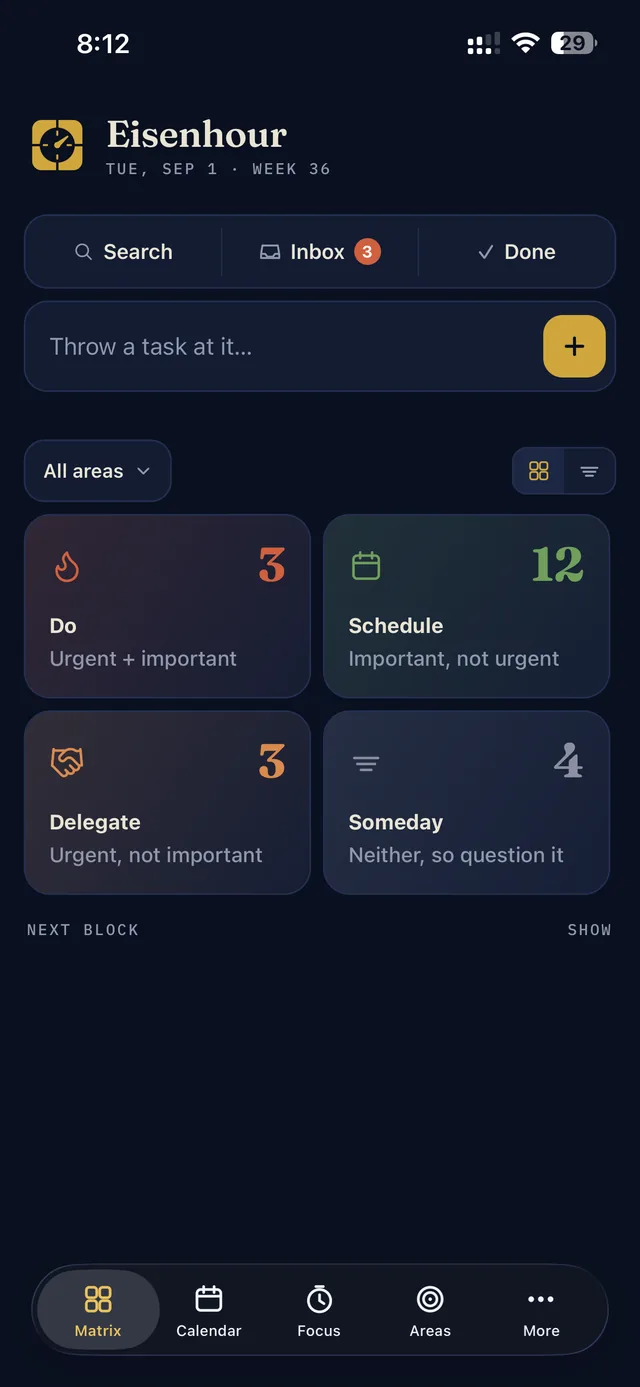
Type a task into the field at the top of the Matrix tab and it waits in the Inbox. When you have a minute, open it and answer the two questions. The answer is one of four quadrants, Do, Schedule, Delegate or Someday, plus a life area.
Guide: sort your first task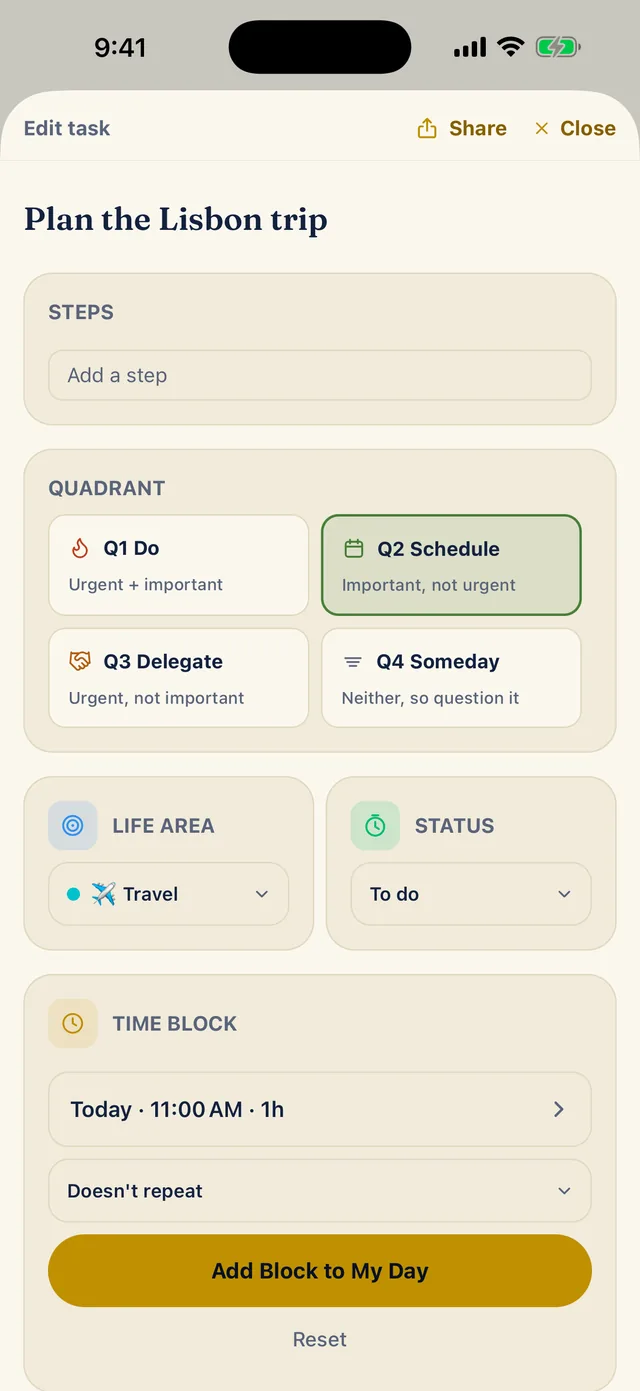
-
Calendar
Give it an hour
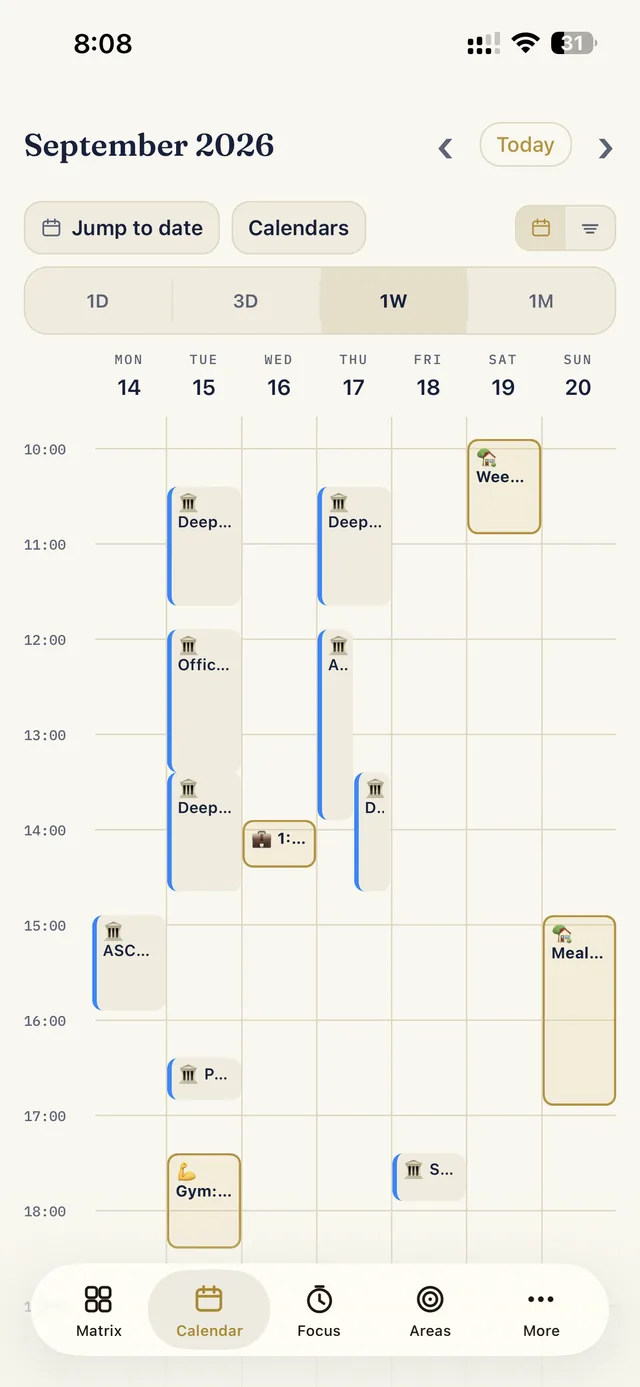
Choose a day, a start time and a length in steps of 15 minutes, and the task becomes a block on your Calendar, right beside the events already on your phone. The free version shows today; other days and the week view are Pro.
Guide: give a task an hour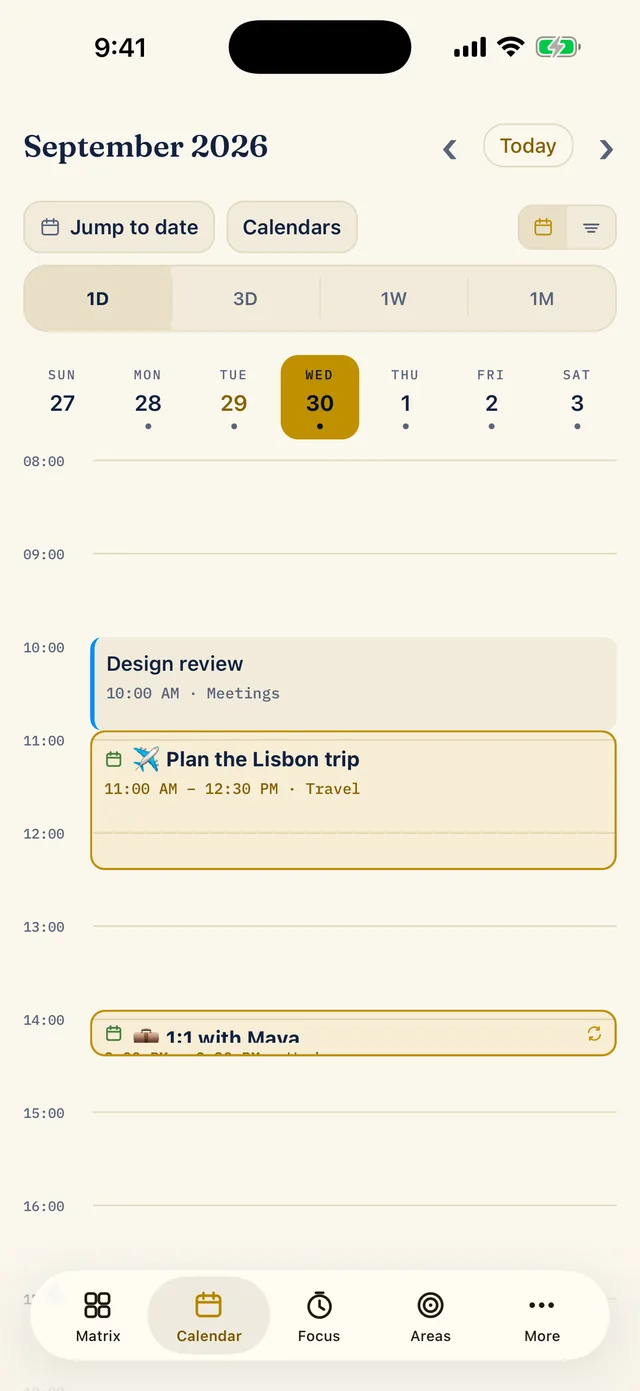
-
Focus
Protect focus time
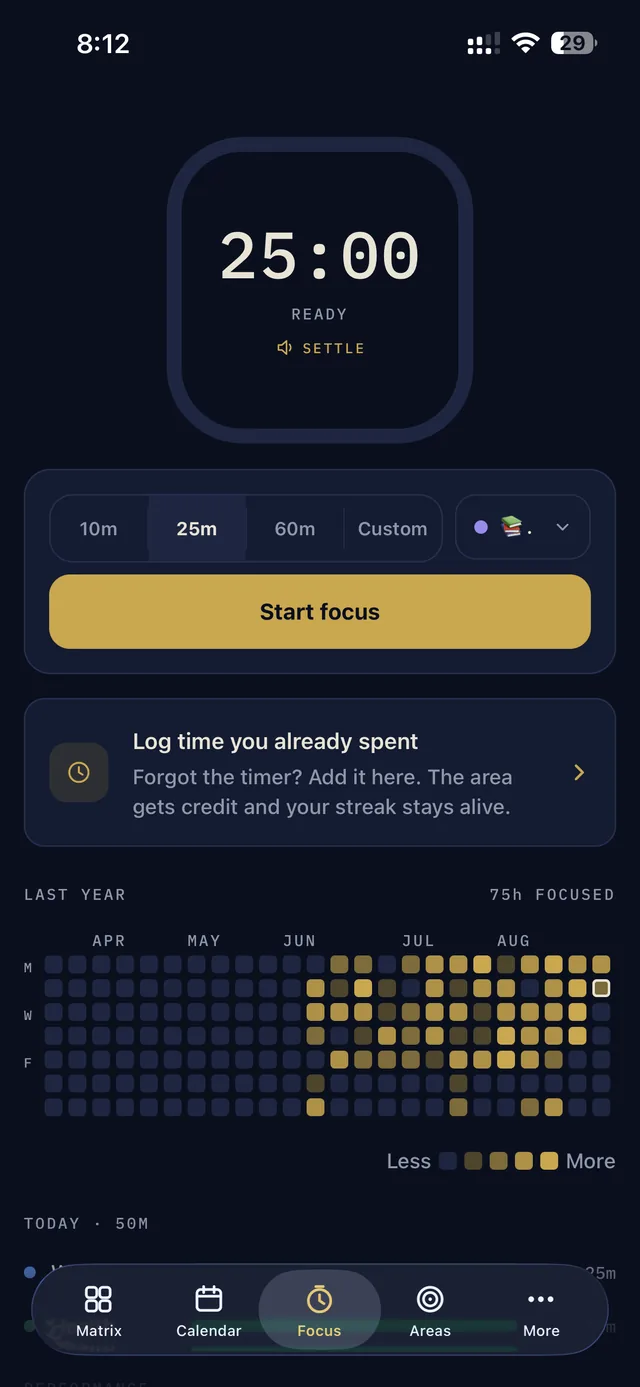
Pick the task you are working on, start a 25-minute timer (or 10, 60 or your own length) and its life area gets the credit. If you forgot to start the timer, log the time afterwards.
Guide: run a focus session and log your time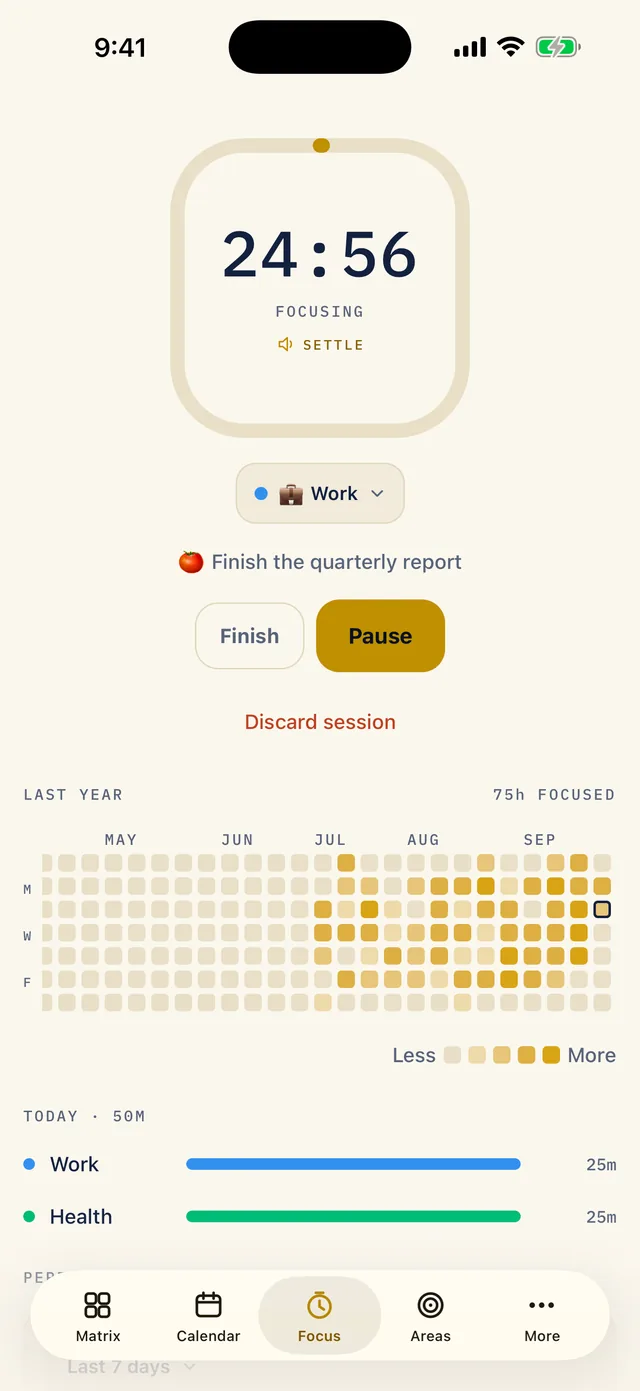
-
Areas
Balance your life areas
Give each part of your life a weekly target in hours. The Areas tab shows the week so far, the last 14 days and any streaks, so you can see when work is quietly winning.
Guide: set up your life areas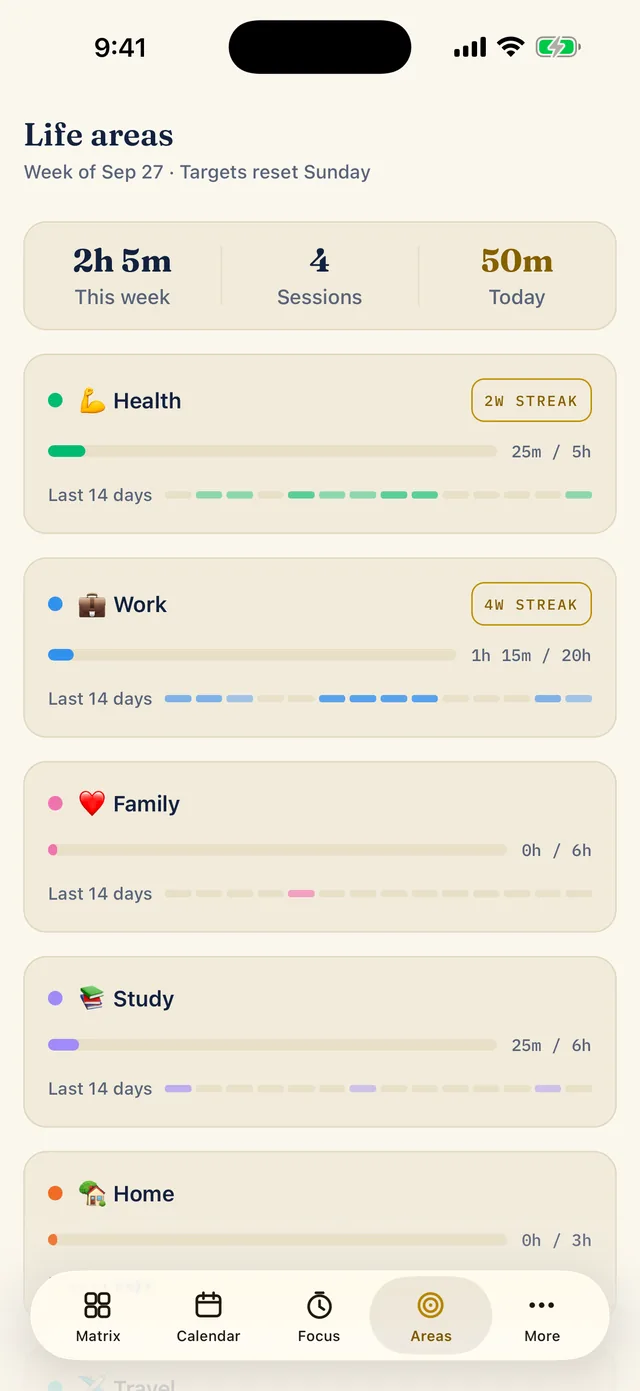
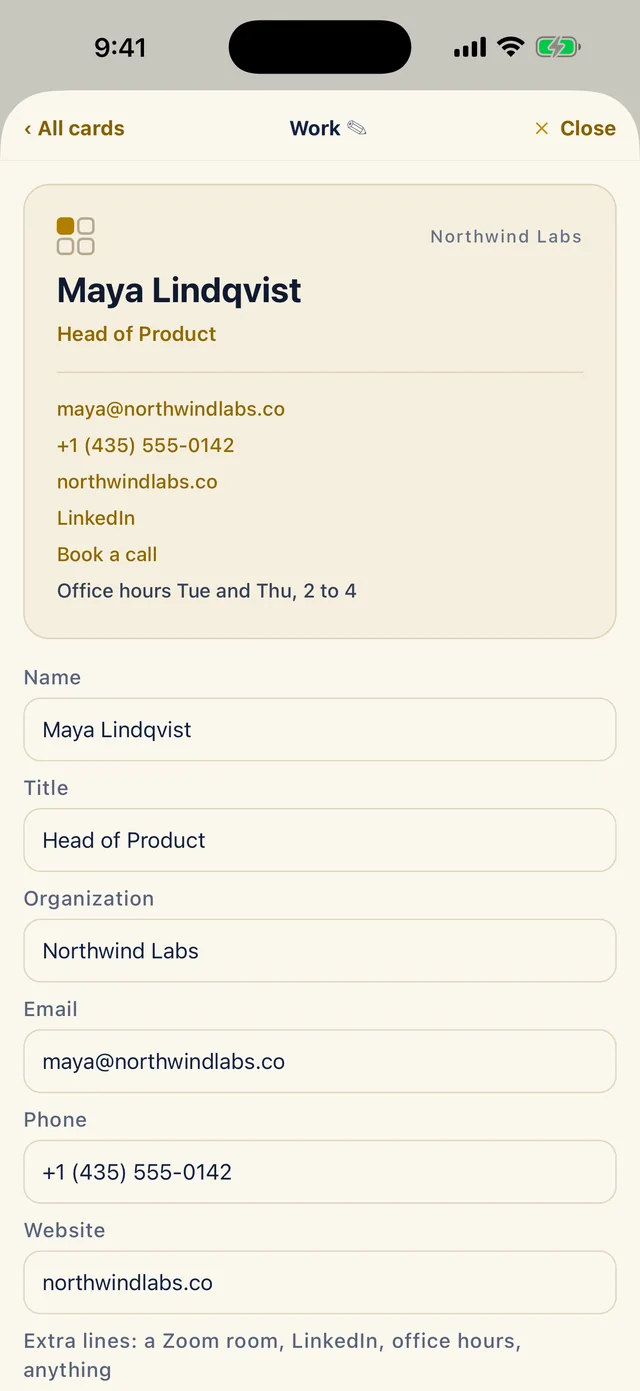
Create cards worth sharing
Your details in a shape you can hand to someone. Build a business or personal card and share it as an image, or as a PDF with tappable links.
- Work, personal, side business: one card free, more with Pro
- Send any task too, steps and all, as plain text
- A card follows your theme, so the dark theme (Pro) gives you a navy one
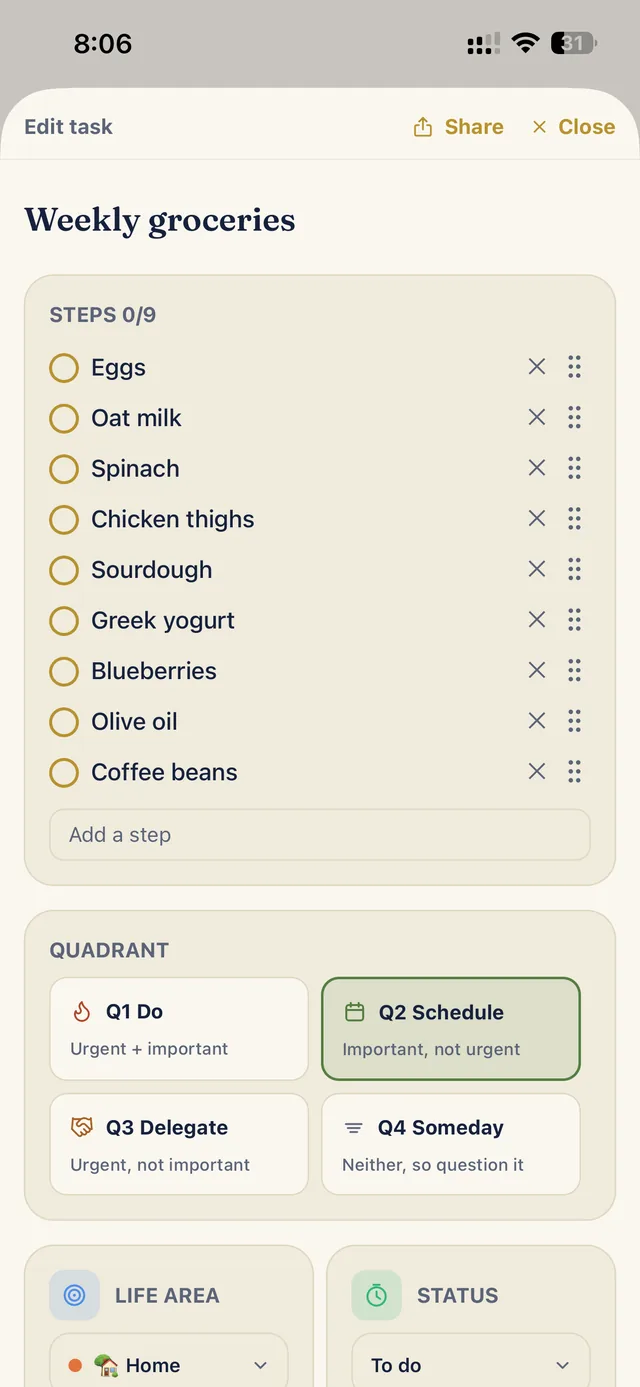
Real screens, real data.
Everything below is the shipping app on an iPhone, nothing mocked up.
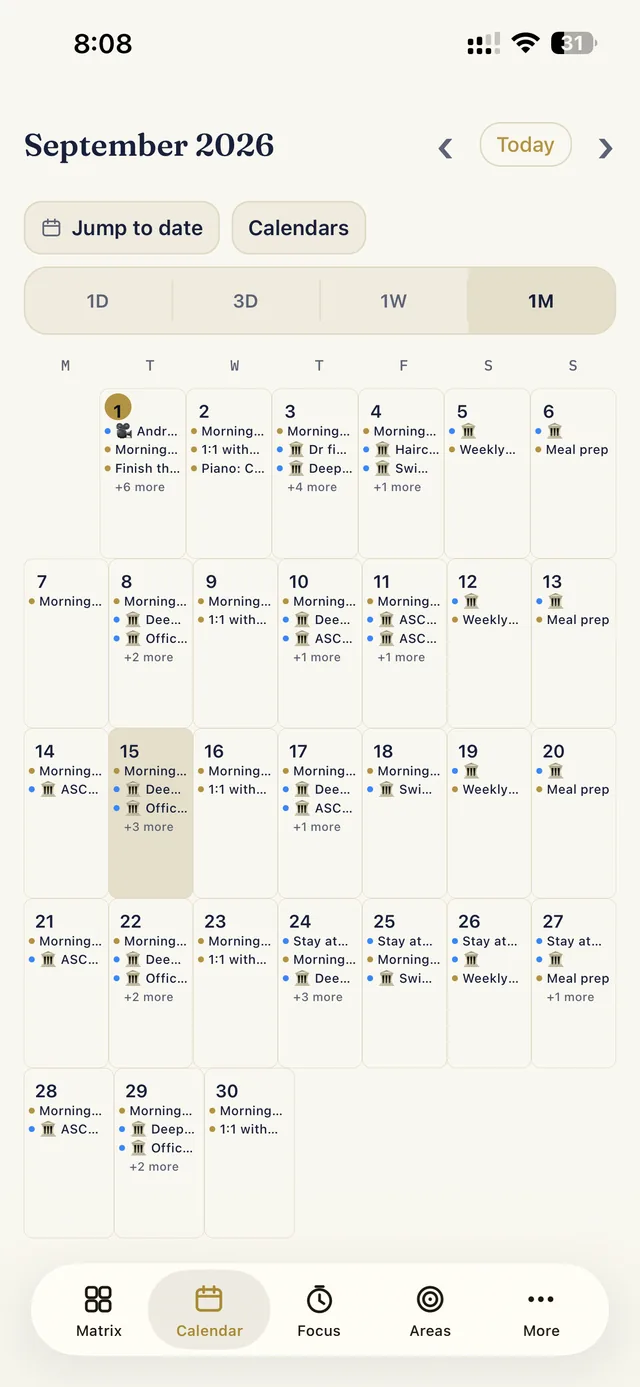
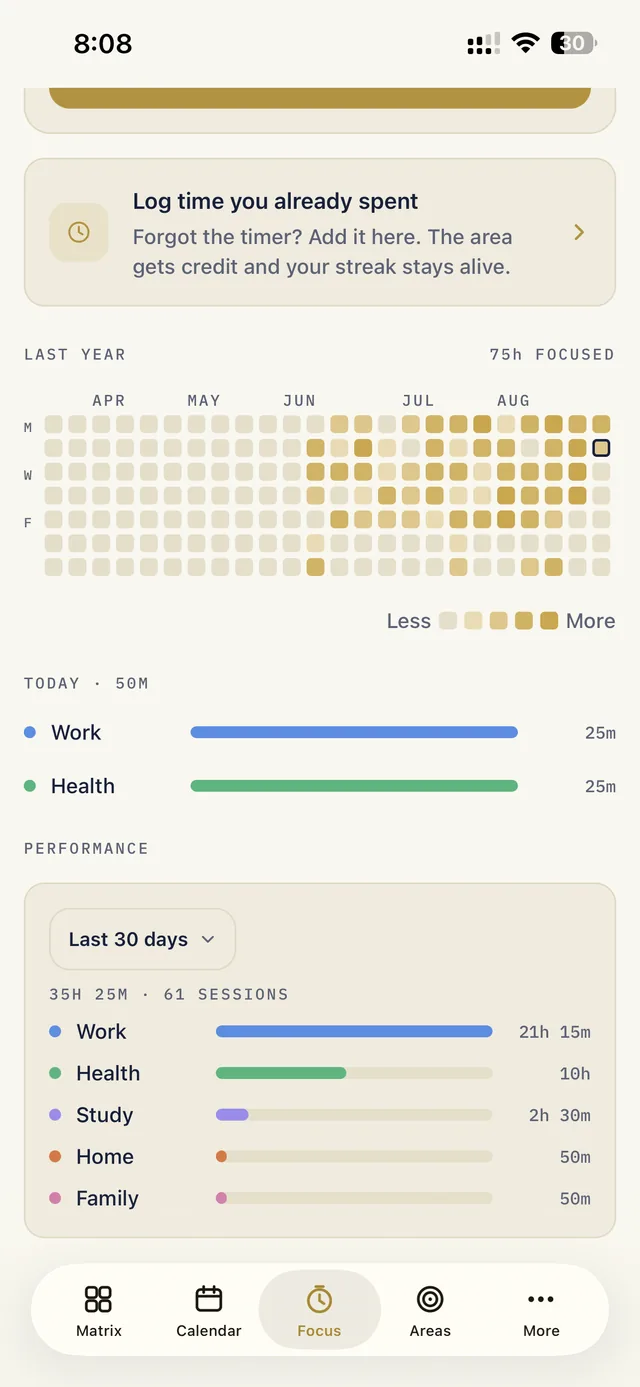
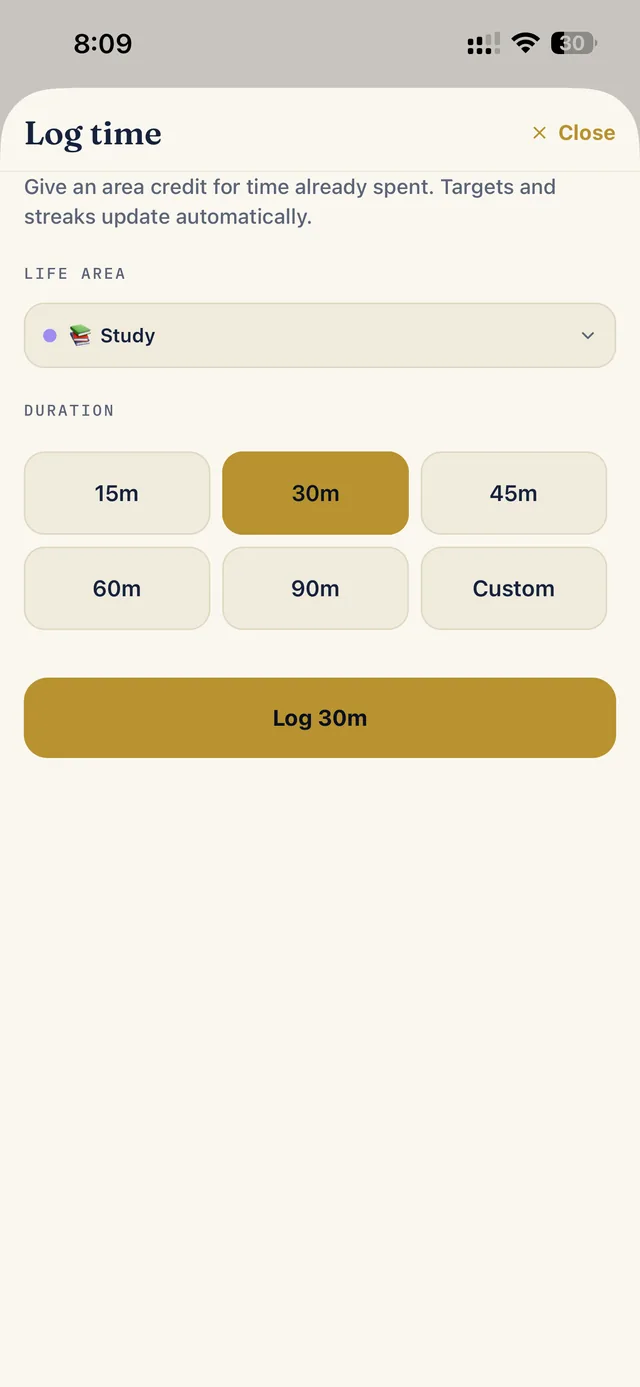
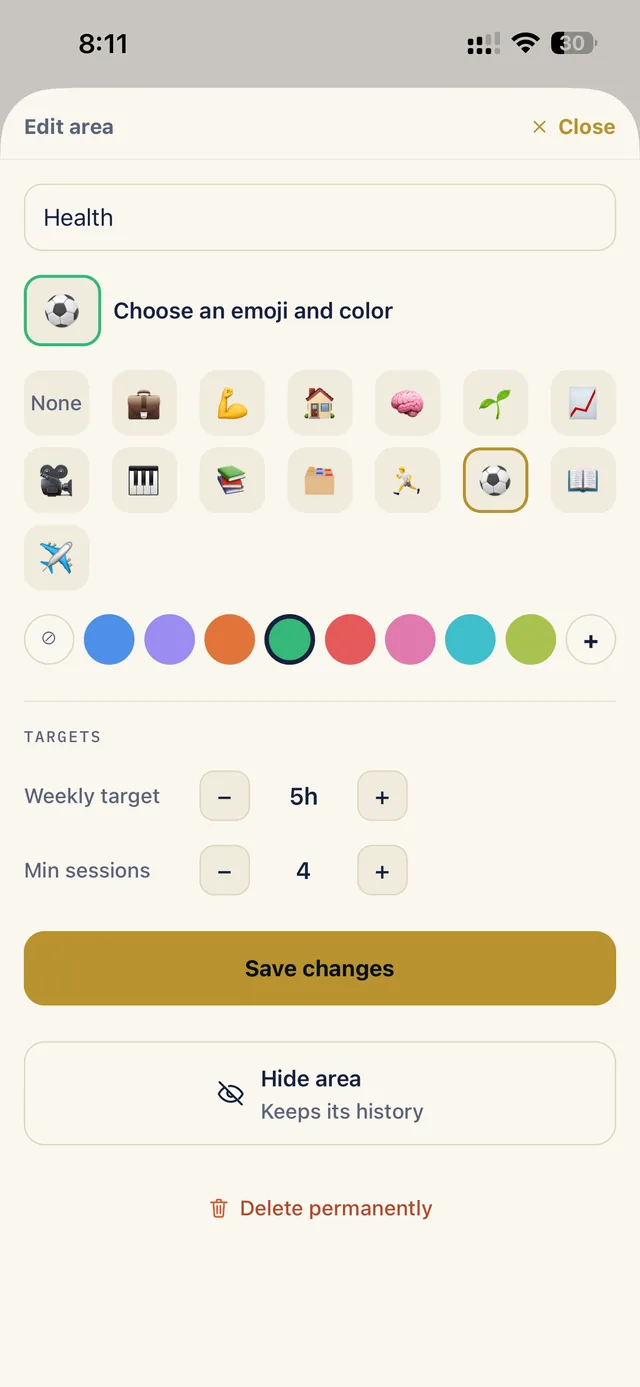
Navy, for the evenings
Cream is the default for everyone. Pro adds the navy theme, the same one the icon and the shareable card wear, across every screen.
Everything stays on your phone.
Eisenhour is local-first. There is no account to create, no server to trust and nothing to track. The App Store privacy label says Data Not Collected because there is nothing to collect.
No account
Open the app and start. Nothing to sign up for, nothing to remember.
Rides your iPhone backup
Your tasks, focus history and cards are on the device and come along with your normal iCloud backup.
Your calendars, read in place
Events are drawn from the calendars already on your phone. Nothing is uploaded, nothing is connected.
One file to take with you
Export the whole thing as a single file, and import it on a new phone (Pro).
The method is free. Pro is one purchase.
No subscription, no trial that turns into a bill. Buy Pro once and it is yours, on every iPhone signed into your Apple ID, with Family Sharing.
| What you get | Free | Pro |
|---|---|---|
| Plan any day | Today | Any day |
| Life areas | 2 | Unlimited |
| Cards | 1 | Unlimited |
| Focus history | 4 weeks | Full year |
| Performance reports | — | ✓ |
| Export and import | — | ✓ |
| Copy blocks to external calendars | — | ✓ |
| Dark theme | — | ✓ |
Pay once. Unlocked, forever. Price shown in US dollars; the App Store shows yours.
Free forever: the matrix and triage, steps and due dates, time blocking with repeats, seeing your real calendars beside your plan, the focus timer, a card to share, and sharing any task.
- Try all of Pro free for 7 days first, with nothing to cancel
- Restore on any new phone with one tap
- Family Sharing enabled
- Buy it when a gate matters to you, not before
Version 1 is the method. What comes next.
Eisenhour started as a private tool its author ran his working life on for years. Version 1.0 is that tool, done properly. Before planning what follows, we read seven thousand App Store reviews of planner apps to learn what people want done and what they dread. The first list is below. The second is at the end, and it is a promise.
Notes on every task, and a status filter
A Notes field under every task’s steps. A second menu beside All areas that shows only To do, In progress or Blocked. A Logged time list in Focus, so a session you logged by mistake can be swiped away with Undo. Moving to a new phone with Import and Merge keeps your life areas’ targets, colors and emoji, and exports are named with the day. And you can still try all of Pro free for 7 days, from the Pro screen or at the end of the intro, with nothing to cancel. Everything that changed is on What’s new.
The lock screen, the iPad, your Reminders
Home screen widgets with today's blocks, the matrix counts and an add-task button. The focus timer as a Live Activity, on the lock screen and in the Dynamic Island. A real iPad layout. One-way import from Apple Reminders into the Inbox. Type "dentist tomorrow 3pm" and it lands on the right day at the right time.
Sync across devices, and the wrist
An optional way to keep an iPad or a second iPhone in step, and the focus timer on Apple Watch. Local-first stays the rule: the phone remains the source of truth and sync is something you switch on, never something you need.
Plan your day with an assistant
An MCP server so an assistant such as Claude can read your matrix, propose a plan for tomorrow and file the tasks you dictate on a walk, with your say-so on every change. Anything that needs a server would be a separate, small subscription that pays for the server. Pro itself stays a one-time purchase.
What will never come. No subscription for Pro. No account. No ads. No nagging for ratings: at most one quiet ask per version, with Apple's own sheet, after you've used the app for a few days. And your data stays on your phone, in your own backup, whether you pay or not. Every unhappy review we read was about one of these, and none of them will ever be about Eisenhour.
Real reviews, quoted by name
Every review here is on the App Store under the same name and date. We add them by hand with each release, and we answer every one there.
★★★★★
One productivity app that does it all
The inbox, the matrix, the calendar, the focus timer and the area balance, named one by one as the reason it works, with one request: tap a quadrant to add a task right there. It is in 1.0.2.
Short answers.
Does it work without an internet connection?
Yes, entirely. The only network use is the App Store purchase and the price lookup on the Pro screen.
Which calendars does it show?
Any calendar already on your iPhone: iCloud, Google, Exchange and work calendars, whatever the Calendar app can see. Eisenhour reads them in place after you allow access, and never uploads them.
Is Pro a subscription?
No. It is one purchase, $19.99 (or your local equivalent), yours forever, with Family Sharing and Restore on any phone signed into your Apple ID. You can try it free for 7 days first; nothing is charged and there is nothing to cancel.
What happens to my data if I switch phones?
It comes along with your iCloud backup like any other app's data. Pro users can also export everything as one file and import it anywhere.
Is there an Android or web version?
Not yet. Eisenhour is built for the iPhone first, and the Apple platforms are the focus for the next releases.